
Section 6. rdProxies
Section 6.1. Introduction
rdProxies are a system designed to get the best performance both in-game and while editing.
Instance and Prefab Proxy Actors are Actors that you can assign to individual prefabs, ISMs, HISMs or instances of a specific mesh. You can also assign other ISMs/HISMs, or DataLayers when used with WorldPartition.
When your player comes into close proximity to one of these, it is seamlessly replaced with a fully interactive Proxy – then when the player moves away, it’s swapped back to the original (with optional state saving).
The Proxy can be a selection of an actor, a DataLayer (in WorldPartition levels) and/or another ISM instance.
It may seem a bit strange to have the interactive actor as the Proxy and the ISM/HISM as the main – but the paradigm fits as the default of the mesh instance is so much more efficient both at runtime and in the editor, thinking of them as instances helps with the perspective of efficient handling and rendering of large amounts.
This can be a huge optimization for things such as collectables, interactive buildings, vehicles etc.
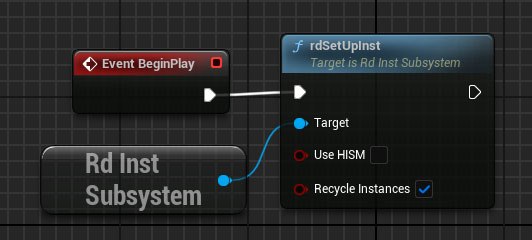
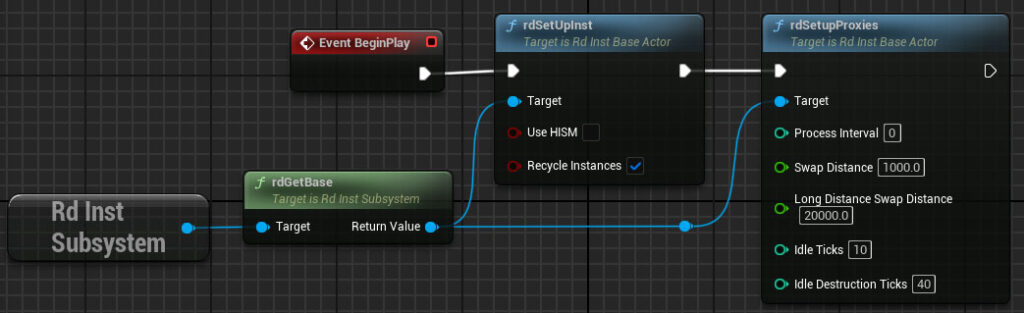
By default, the proxy system is turned off. To enable it, just select the rdInstSettings actor (from the outliner) and set the number of frames to have it scan in the “Proxy Process Interval” (around 5-10 is good, 0 is every frame, -1 or less is disabled).

All you need to do it add your prefab, instance index, or mesh to the proxy list and the rest is handled automatically.
Each of the Proxy functions for adding proxies accept a “rdProxySetup” struct – you can either pass in a pre-made one, using one of the rdMakeProxySetup helpers, or right-click on the “Proxy” pin and select “Split Struct Pins”.
The Settings are described below:

To help de-clutter the BP, 3 Make Utilities are included to make the rdProxySetup structure (which can be reused).

Section 6.2. Short-Distance Proxies


Proximity Proxies are a great way to save FPS and VRAM – and they’re easy to set up.

All you need to do is assign a mesh, an instance of a mesh or a prefab to a Proxy – rdInst does the rest.
Instance Proxies
The rdAdd(x)Proxy Nodes accept a “rdProxySetup” parameter, You can Make these using the Make helpers mentioned above, or you can Split the Proxy input pin and manually set the values you wish.

The above code assigns a Proxy Actor specified by the Actor Class “My Proxy Actor Class” to the single instance created in the previous Node.

This one is similar, but instead of assigning the single instance, it assigns the mesh itself – all instances of the mesh will be swapped to the proxy. You specify this by using “-1” as the Instance Index value.
This is the most optimal type of Proxy.
If your Proxy is using the same meshes, you can tick the “Don’t Hide” option and remove those meshes from the proxy – that reduces CPU time during the swap. A good example of this is adding collision to trees – you can turn off collision on the meshes themselves, that speeds up spawning/creation by a large amount. Then have a ProxyActor which is just a Collision Cylinder the size of the tree trunk – tick the ‘Don’t Hide’ and then when the player is in proximity, the collision cylinder is shown.
Prefab Proxies
A Prefab Proxy is added in much the same way, just pass the Prefab to the rdAddPrefabProxy Node.

Note: Prefab Proxies must be Subclassed from rdActor.

Instanced Static Mesh Proxies
You can also assign StaticMeshes as proxies, these are added as ISMs or HISMS. These don’t support ProxyStates and simple meshes taking on their settings from the rdInst Instance Settings. You can use the “rdMakeStaticMeshProxySetup” function to set the values for the proxy.

Data Layer Proxies
If you have world partition enabled, you can also assign DataLayers as the proxies – specifying their softpath name minus the “/Game/” (e.g. “MyFolder/MyDLasset.MyDLasset”). You can use the “rdMakeDataLayerProxySetup” function to set the values for the proxy.

rdSpawnActor Proxies
There is also another way to add Proximity Prefabs, and this is through the rdSpawnActor – and in particular, in Baked rdSpawnActors – or just rdSpawnData.
rdInst and rdBPtools have tools to bake actors and instances into small rdSpawnData structures which are stored in the rdBase singleton and scanned depending on proximity. rdInst can do this at runtime – a good example is spawning trees and foliage with PCG (having collision turned off on the meshes), then having rdInst bake the PCG data into a series of rdSpawnData stuctures based on distance – just Adding a Proxy for those instances then gives you high-speed distance-based scanning of all those instances to add collision cylinders in proximity.
Tutorials
Section 6.3. Long-Distance Proxies
Long-Distance Proxies are similar to Proximity Proxies, but scan a longer distance – and rather than find them through a sphere trace of everything they’re scanned in sets of tight distance data.
They’re perfect for AI, using a StaticMesh of their SkeletalMesh – and swapping to the AI Blueprint when they get within a certain distance. This can really help with both rendering speeds and also make your level look a lot more populated.
In one of the next updates you’ll be able to “mass move” those StaticMeshes in various ways too.


Long-Distance Proxies are just as easy to add, all you need to do is add each actor as a Long-Distance Proxy like:

Tutorials
Section 6.4. Destruction Proxies
Destruction Proxies are similar to Proximity Proxies, but instead of swapping close to the player – they swap close to impulses and destruction events – both single and multiplayer is supported.


They’re swapped into Geometry Collections which can then be destroyed. You can also set either a Destroyed Mesh, or a Destroyed Prefab which are swapped in at the end of the destruction, and used from then on as the main ISM or Prefab in the distance too. If the destruction is happening further than a certain distance from the camera – the geometry collection isn’t swapped in, and if something is destroyed, the Destroyed Mesh/Prefab is directly swapped in – if you add a dust cloud at destruction time, it masks it nicely and keeps things ticking along optimally.
Specify an index of -1 to assign all instances of the mesh to the Destruction Proxy.

Tutorials
Section 6.5. Pickup Proxies
Section 6.6. Saved Proxy States
Sometimes you’ll want to have actors that store their state when they swap back into instances or prefabs – for example, if you’re AI proxy has received damage during it’s Proxy stage, you want it to remember that the next time it swaps back into the Proxy.
The rdInst Proxy system has a great way to handle that – each Proxy can have a DataAsset assigned to it – and you have complete control over what you add to that DataAsset. When the Instance is swapped to the Proxy, it calls a LoadState Function that you can override, when it swaps back to the Instance, a SaveState Function is called.
Note: This does not work with per-mesh proxies, just instances and prefabs.
To create your own DataAsset, firstly create a new Blueprint, Subclassed from rdStateDataAsset. In this Blueprint add variables to describe all the state information you require – you can also add helper functions in there.

Now create a new DataAsset and SubClass it from your new Blueprint Class:


That is now your State DataAsset. You can pass that into the “State” Pin of the AddProxy functions.
That leaves implementing the Load and Save events when the Proxy is swapped in and out, you can do that easily by overriding two functions in your Proxy Actor:


You have access to the Mesh/Index or Prefab in the events too, so you can do things like change per-instance custom data to reflect any changes in the proxy actor.
Tutorials
Section 6.7. Runtime Proxy Scan Map generation
When it comes to spawning objects in your level, it’s most often the case that you get dramatically better spawn times when you turn off collision on your meshes. This is helpful, but you usually need it on during play – so here is a system that works like the Proxies (well, it is proxies) that allows you to swap in (or add to) your ISMs when they get close.
It allows you to create the proxy scan data needed to find the closest objects from volumes such as PCG volumes at runtime and then use that to swap in proxies.
You can split the volume area up into rows and columns of any number during creation – only the closest cells are scanned.
The Meshes list allows you to only build for the included meshes. If this list is empty, it builds for all meshes.

The function returns the number of objects baked and an array of baked items.
When “Store Transforms” is ticked, the instance location is stored in an internal table, this will be grid based for very fast searching in a future release. It does use either 12 or 24bytes per instance in system memory. When it’s unticked, proxy scans are done directly from the instance Matrix stored in the IMSC/HIMSC.
When you no longer need them, you can remove them like: